
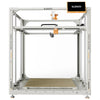
Elegoo OrangeStorm Giga: installation and commissioning guide
, by Strato3D, 1 min reading time
, by Strato3D, 1 min reading time
How to install and calibrate the Elegoo OrangeStorm Giga, the 800×800×1000 mm 3D printer. The critical steps, the mistakes to avoid and the on-site installation service throughout Italy.
The Elegoo OrangeStorm Giga has redefined what “large format” means in FDM 3D printing. With a build volume of 800 × 800 × 1000 mm and a weight of around 104 kg, it produces objects that would usually require expensive industrial printers. But it is precisely these dimensions that make it a machine to assemble and calibrate methodically: getting the installation wrong means wasting hours of printing and kilos of filament.
Launching a large print straight away without accurate calibration; underestimating the levelling of the four plates; not optimising temperature and speed for the material used.
If you want your Giga operational from day one, Strato3D offers an installation and commissioning service at your premises, throughout Italy: assembly, bed levelling and calibration, firmware configuration, first test print and basic operational training.
👉 Discover the large-format 3D printer installation service — quotation at info@strato3d.it.
The OrangeStorm Giga is extraordinary for anyone who needs to print large without splitting the models. But to exploit its potential, the initial installation and calibration make the difference. Devote time to calibration — or rely on those who do it for a living.
Go to the product page · Request the installation service


